IMPORTANT: Don’t fix the printers if you don’t feel comfortable doing it, it’s fine to leave a note for someone else to do it.
Some of the issues need to be done by Full licence holders (anything that involves taking the machines apart).
Most info below is from https://wiki.bambulab.com/en/home
Typical issues:
Broken Filament in PTFE tubing
Please note: Full licence required to do this
https://wiki.bambulab.com/en/x1/troubleshooting/filament-breaks-in-path
Nozzle clog
Please note: Full licence required to do this
https://wiki.bambulab.com/en/x1/troubleshooting/nozzle-clog
Includes:
- clearing the nozzle clog with a pin (simple/partial clog)
- hot hex wrench unclogging method
- cold pull method
Spool jamming in the AMS
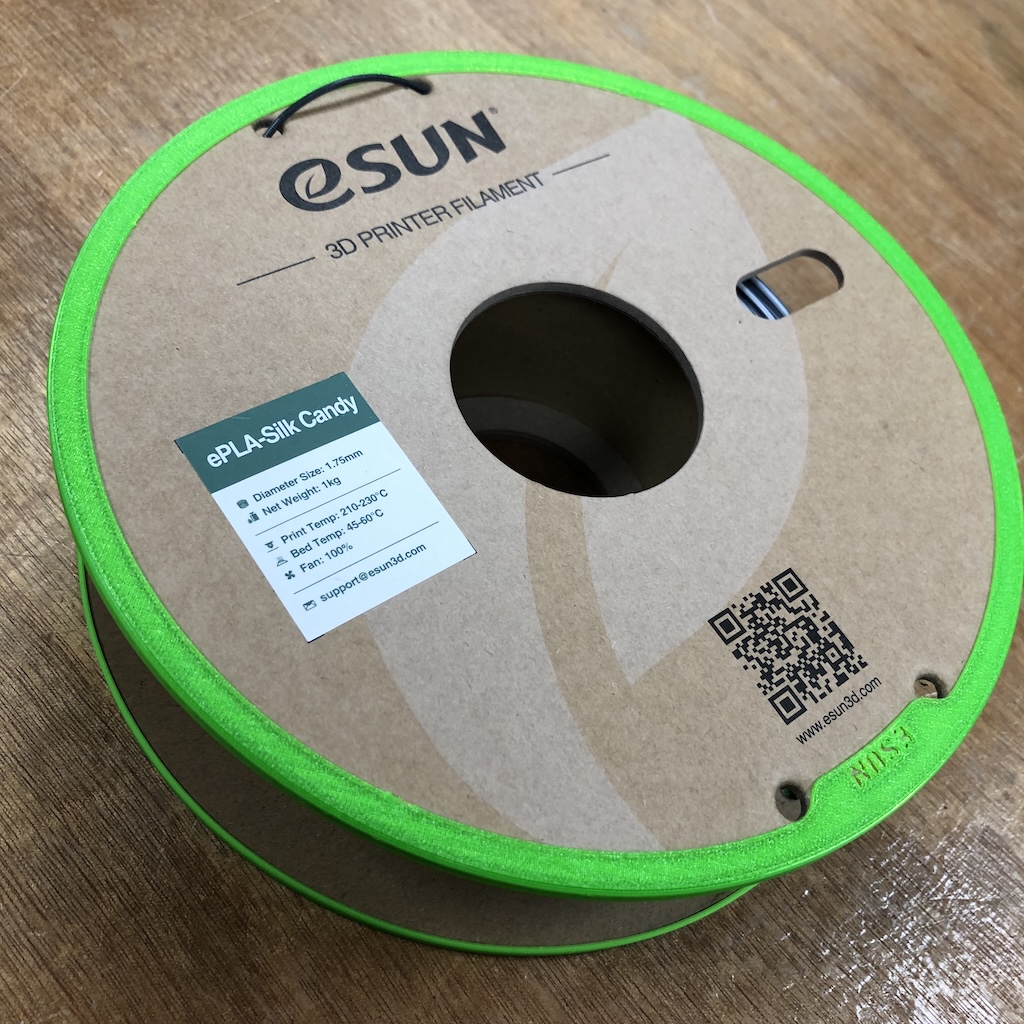
Some of the cardboard spools can be a little wonky and won’t stay in the right place on the rollers in the AMS. If you don’t need the functionality of the AMS you can print with the external feeder instead. Or try using the 3d printed covers for the edges of the spools that we have in TAP lab, they help the cardboard spools to run more smoothly in the AMS.
Error codes
https://wiki.bambulab.com/en/hms/home enter the code in the search box to find out what it means or check below for some of the common ones and a shorter summary of how to fix them.
HMS_0300-0D00-0001-0003
"The build plate may not be properly placed"
(Synonyms:0300-0D00-0001-0004, 0300-0D00-0001-0005, 0300-0D00-0001-0006, 0300-0D00-0001-0007, 0300-0D00-0001-0008, 0300-0D00-0001-0009, 0300-0D00-0001-000A, 0300-0D00-0002-0003, 0300-0D00-0002-0004, 0300-0D00-0002-0005, 0300-0D00-0002-0006, 0300-0D00-0002-0007, 0300-0D00-0002-0008, 0300-0D00-0002-0009, 0300-0D00-0002-000A, 0300-0D00-0001-0003)
Fix: Take out build plate and re-position on plate ensuring all the sides are aligned properly
HMS_0300-0D00-0002-0001
"Heatbed homing abnormal: there may be a bulge on the heatbed or the nozzle tip may not be clean"
Pay specific attention to the video that shows the bearings on the sides and how to re-seat them.
https://public-cdn.bblmw.com/wiki/X1/fix_bearing_up.mp4
https://wiki.bambulab.com/en/x1/troubleshooting/hmscode/0300_0D00_0001_0003 HMS_0300-1200-0002-0001
"The front cover of the toolhead fell off"
(Synonyms: 0300-1200-0002-0001)
Fix: Check cover is seated and secured back on the front of the toolhead. HMS_0C00-0100-0001-0004 (X1 Carbon)
"Micro Lidar Lens dirty"
Synonyms: 0C00-0100-0001-0004
https://wiki.bambulab.com/en/x1/troubleshooting/hmscode/0C00_0100_0001_0004
If multiple attempts to clean and print do not work then leave message on #3d_printers or contact technician. HMS_0C00-0300-0003-0007 (X1 Carbon)
"Possible first layer defects"
Fix: Check print quality and resume or cancel as needed. HMS_0C00-0300-0003-0008 (X1 Carbon)
"Possible spaghetti defects"
Synonyms: 0C00-0300-0003-0008
Fix: Check print quality and resume or cancel as needed. HMS_0C00-0300-0002-000C (X1 Carbon)
"Build plate marker not detected"
Synonyms: 0C00-0300-0002-000C
Fix: Only official bambulab build plates can be used in the X1C. The special effects holographic plates are not currently compatible with the X1C HMS_0500-0100-0003-0004
"Not enough space in SD Card"
Synonyms: 0500-0100-0003-0004
There is not enough space in the SD card and it may not be possible to record video files or time-lapse files properly.
Fix: Delete files on SD card. HMS_0700-1000-0002-0002
"The AMS slot1 motor is overloaded. The filament may be tangled or stuck."
Synonyms: 0700-1000-0002-0002
Fix: Check filament, untangle spool and ensure it is seated properly in holder.